
Toggl 2.0 supports a few different ways to sign in, and each has its own quirks if something goes wrong. Find your login method below for the fastest fix.
Ways to sign in- Email and password
- Apple
- SSO (Premium and Enterprise)
- Passkey
Signing in with email and password
Enter the email tied to your account and your password directly on the sign-in screen.
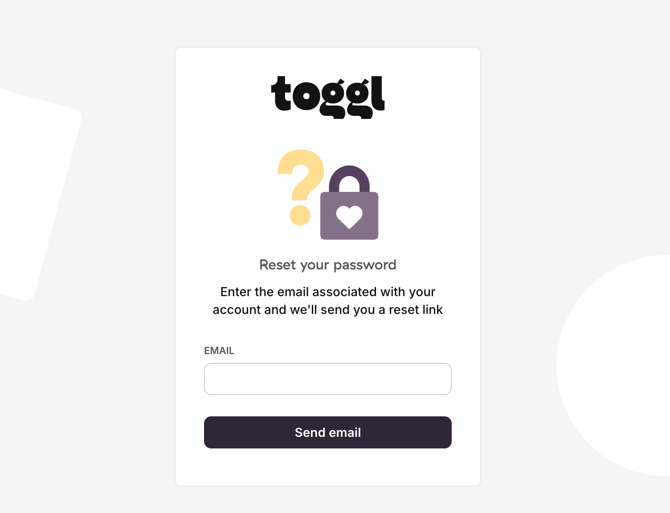
Forgotten your password?
Head to the password reset screen and submit the email tied to your account — you’ll get a reset link by email.
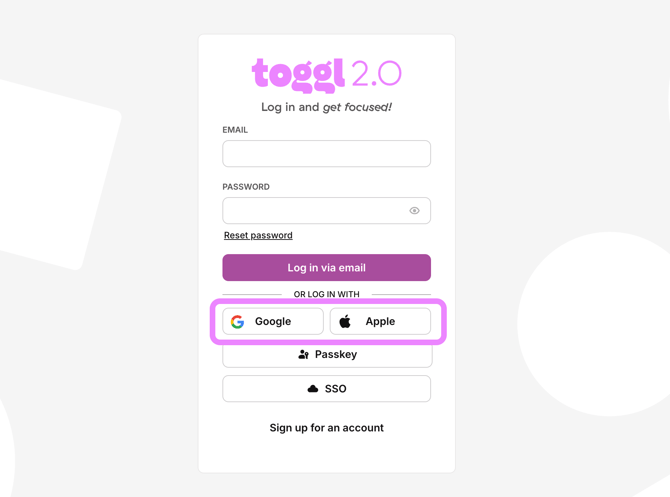
Signing in with Google or Apple
Both options appear as buttons right on the sign-in screen.
Google or Apple login not working?
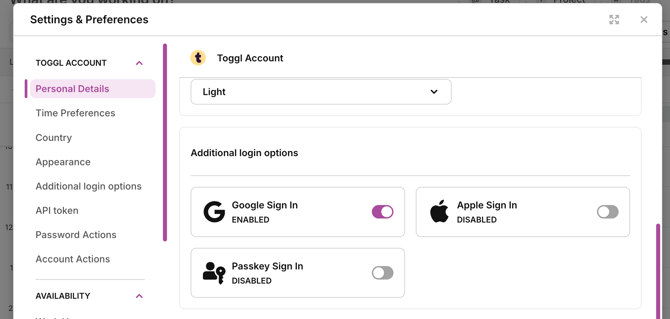
The usual fix is to switch Google/Apple login off, then back on. Since that setting lives inside your account, you’ll need to get in another way first:
- Go through the password reset flow, using the email tied to your account.
- Open the reset link from your email and set a password for manual login.
- Sign in with your email and the new password.
- Go to Profile Settings.
- Turn Google/Apple login off, then on again — use the three-dot menu next to the option.
Signing in with SSO
SSO is available on the Premium and Enterprise plans and needs to be configured by your admin before you can use it. See Setting up and managing single sign-on for setup steps.
Signing in with a Passkey
Passkeys let you skip passwords entirely:
- On the signup page, enter your email and click Sign up for free.
- Enter the verification code sent to your email — this opens a password screen.
- Instead of setting a password, click Create new Passkey and follow the prompts.
Turned off Passkey login — how do you get back in?
You’ve got three options:
- Sign in with Google
- Sign in with Apple
- Sign in with email and password:
- If you originally set a password, use that.
- If you never set one, you’ll be asked to create one.
- If you skip that prompt, you can still either click Set password on the Profile Settings page, or request a reset link and follow the emailed instructions.
Login issues in the native apps
- Confirm you’re running the latest version of the app.
- Make sure cookies aren’t blocked — on iOS, go to Safari > Advanced and turn off Block All Cookies.
- If you use a content blocker, add
toggl.comas an exception so it doesn’t interfere with login.