
What Toggl AI can do
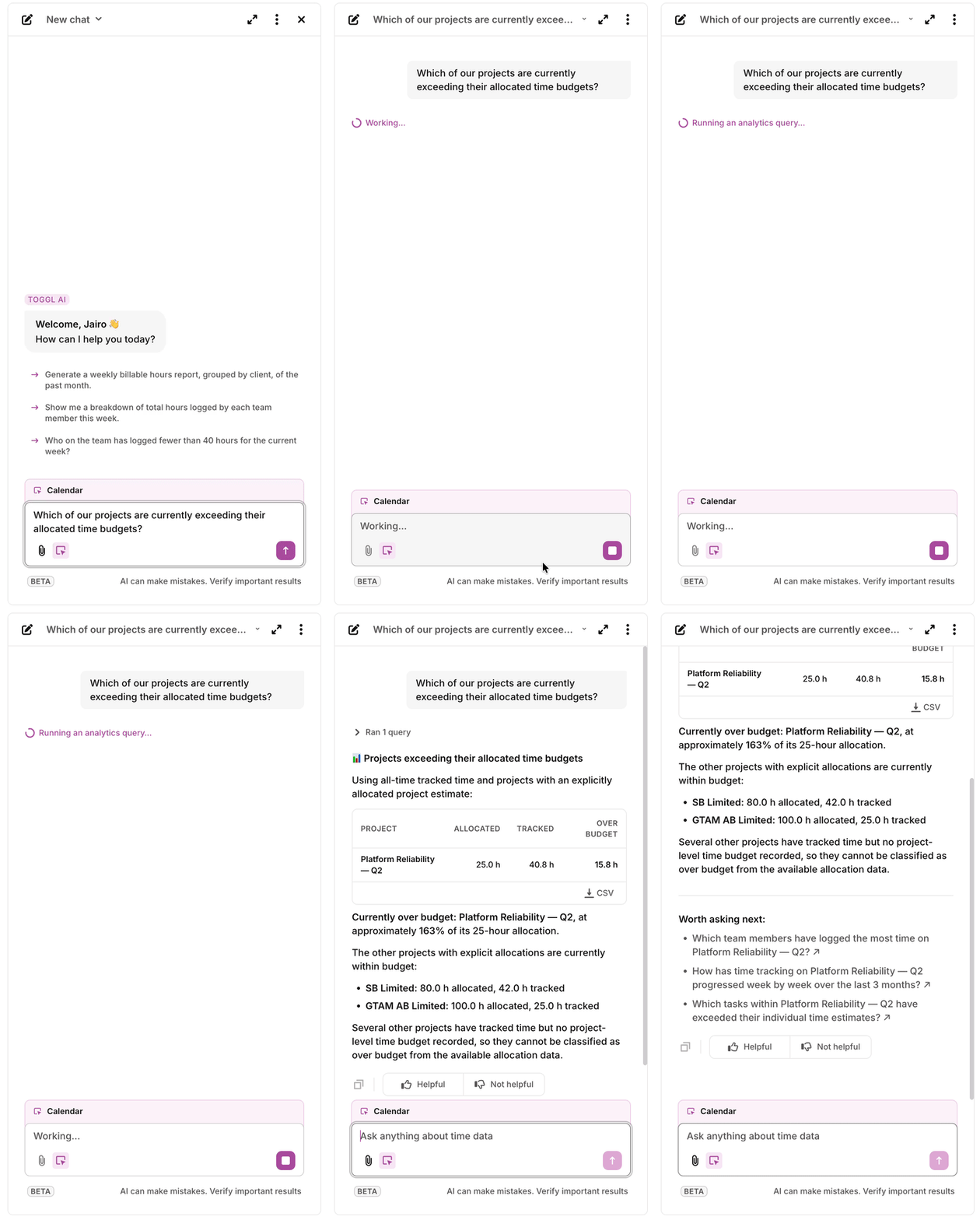
Ask questions about your time data
Ask in plain language and get an answer with the numbers behind it. For example:
- "How many hours did the design team log last week?"
- "Which projects went over their estimate this month?"
- "Who hasn't logged time this week?"
Answers are calculated from your workspace's actual reporting data. If your question is ambiguous, the chat asks a clarifying question instead of guessing.
Nonetheless, we always recommend to always verify the responses of AI.
Get things done from the chat
The chat can act on your workspace, not just answer questions. You can ask it to:
- Log time for you
- Create projects, tasks, and tags
- Configure workspace settings
And much more. We're constantly adding new capabilities to the chat!
Learn Toggl as you go
Not sure how something works? Ask the chat directly ("How do I set up required fields?") and it explains the feature and can often do the setup with you.
Permissions and privacy
The chat respects your role. Everything it does runs with your own permissions: it cannot see data or perform actions beyond what your user role allows.
This means that users can't use the chat in order to get access to information they would usually not be able to see.
The chat is available to all roles.
Where to find it
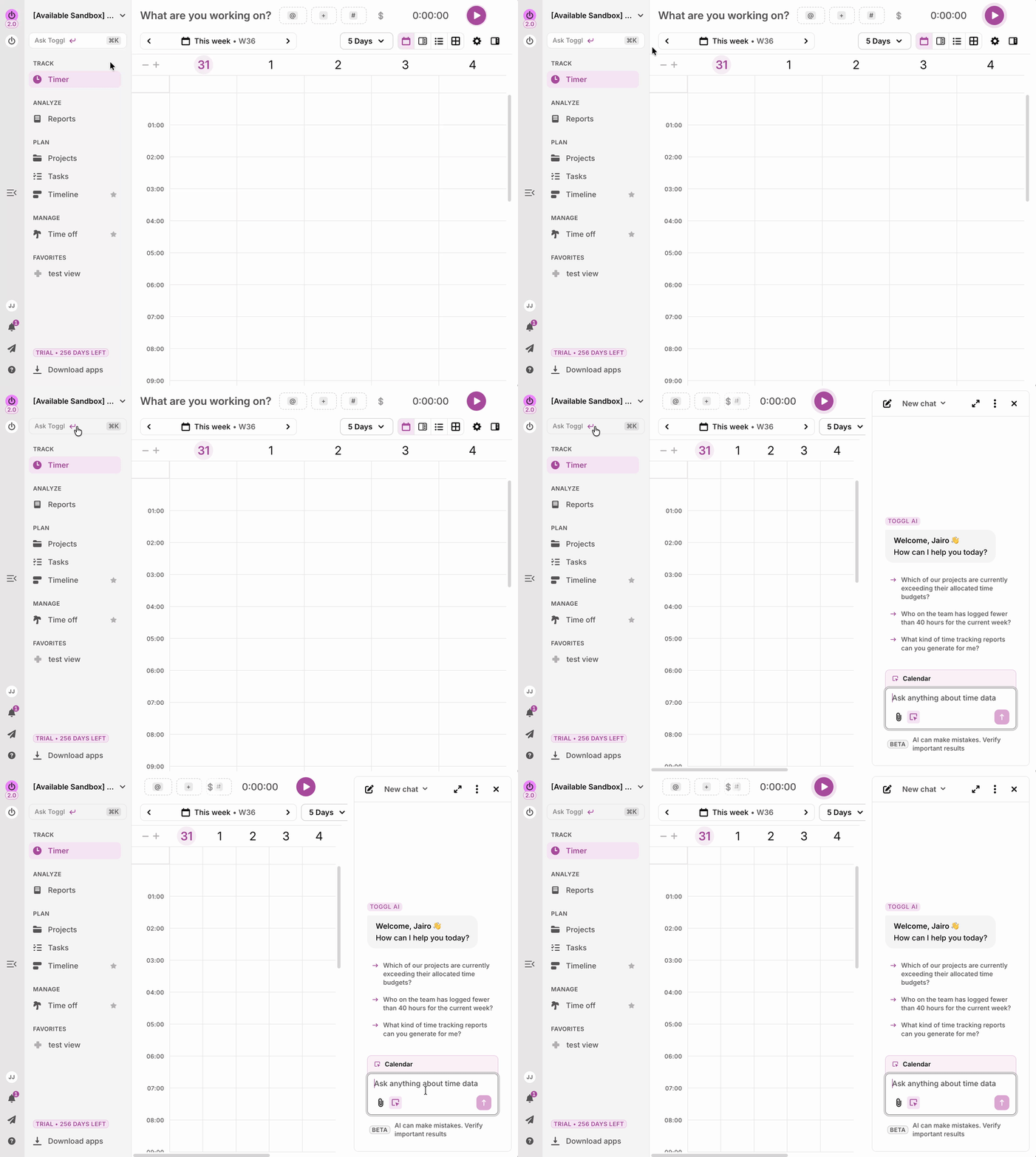
Toggl AI is available in the webapp only for now. You can access toggl AI
Turning AI off
If your organization prefers not to use AI features, an administrator can disable them entirely:
- Go to Admin settings → Organization → Overview.
- Under Organization security and compliance, turn off AI features.
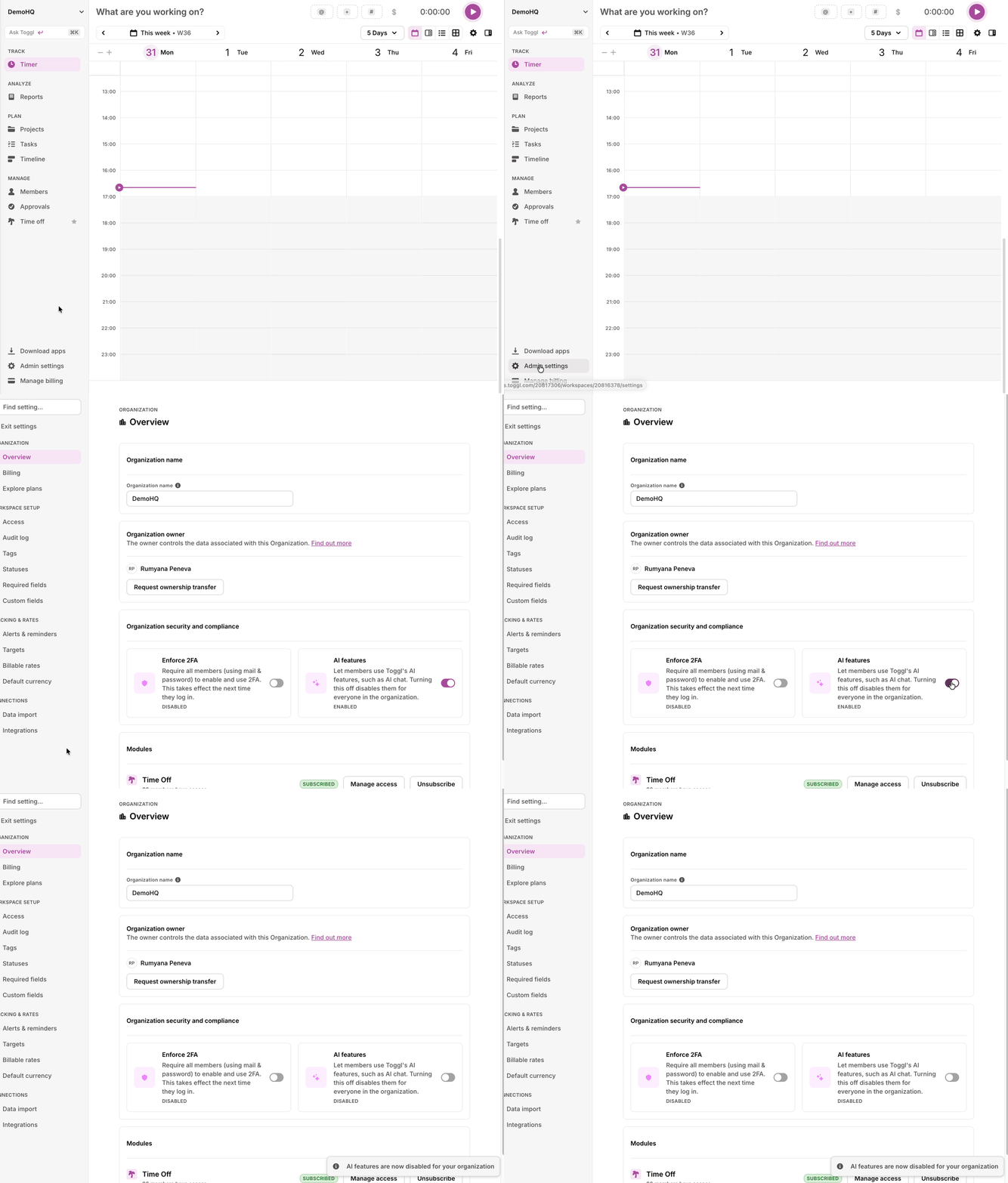
AI features are enabled by default. Turning the setting off disables the Toggl AI chat for everyone in the organization, and the block is enforced on Toggl's servers, not just hidden in the interface.
Good to know
- You may see a small beta label on the chat. We're improving the chat experience at a rapid pace. Be aware that functionality might change quickly over time, with new capabilties being added..
- Like any AI tool, the chat can occasionally get something wrong. For business-critical numbers, you can always cross-check your data in Reports.