
On paid plans, you can share any report you have built with other people in your workspace: individual members, whole teams, or everyone in the workspace. The recipient opens the report and sees exactly the data you see, without having to rebuild the filters themselves.
This is useful when a report only makes sense with a specific set of filters applied, or when someone needs a number they cannot normally pull on their own.
How to share a report
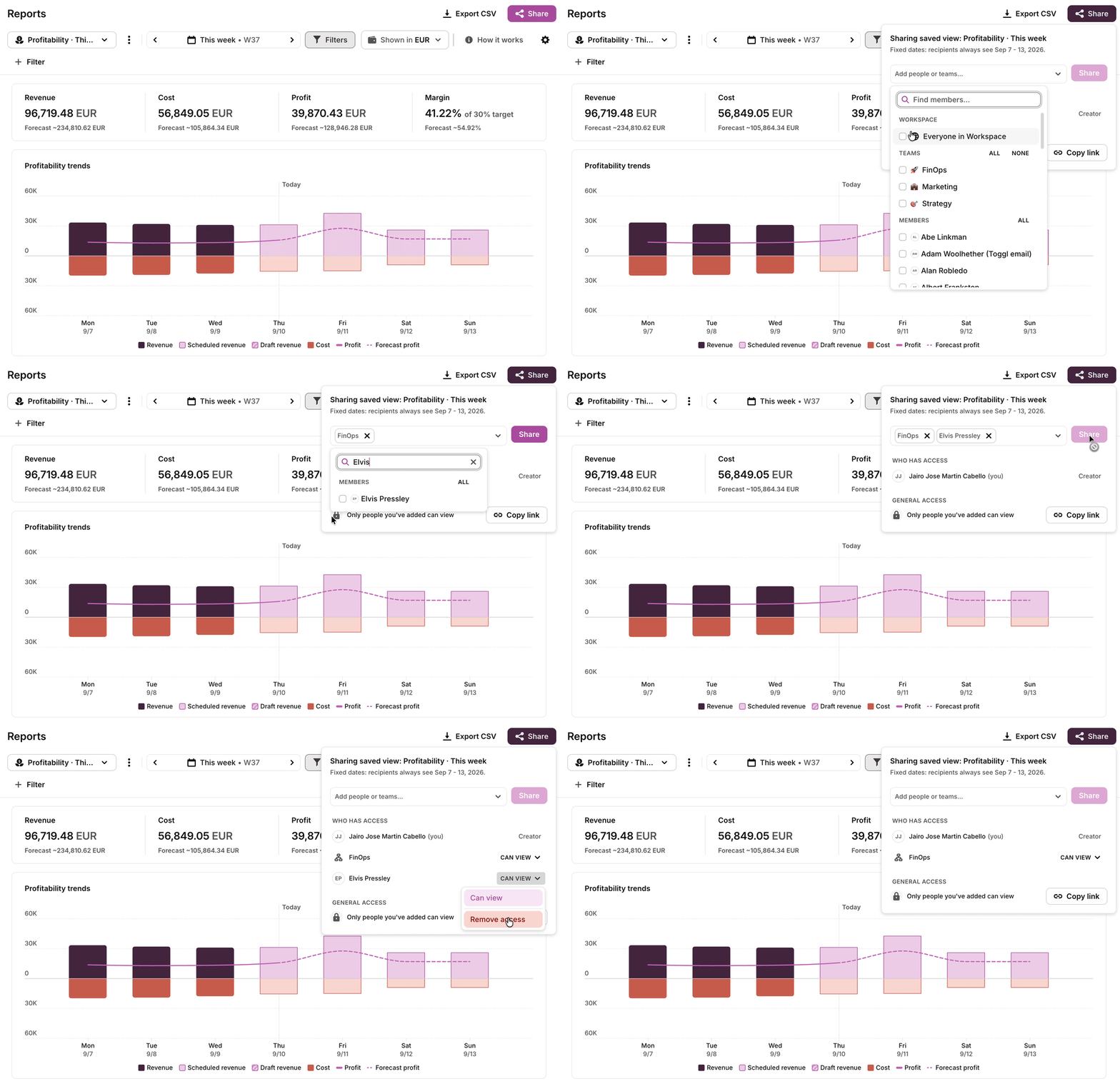
- Open the report you want to share and set it up the way you want it seen: date range, filters, cog settings, currency, chart grouping and chart columns.
- Open the sharing options at the top of the report.
- Choose who you want to share it with: specific members, one or more teams, or everyone in the workspace.
- Confirm. The people you picked can now open the report.
What recipients see
Recipients see the report through the owner's eyes. They get the exact same data the owner would see, including data they would not normally have access to. Everything the owner set is carried over:
- Date range
- Filters
- Cog settings
- Currency
- Chart groupings
- Chart columns
Two consequences worth knowing:
- Restricted report types become visible. A shared report can give a recipient access to a report type that is normally admin-only, such as Utilization. This is a deliberate override of the role rules described in User roles in Toggl 2.0.
- Shared reports are live. If the underlying time data changes, the report refreshes for the owner and for every recipient. It is not a snapshot.
Changing the settings reverts the view
If a recipient changes anything in the report settings, the report stops showing the owner's data and switches to showing the recipient's own data, under their own permissions.
This is intentional. It keeps the shared view limited to exactly what the owner chose to share, and stops recipients from using a shared report to explore data they are not entitled to see.
If a recipient needs a different cut of the data, ask the owner to share a second report set up that way.
Current limits
- Dates are locked. Recipients cannot change the date range of a shared report. Letting them pick their own range is planned.
- No scheduled email delivery yet. Sending reports by email at scheduled times is planned.
- No public links yet. Sharing a report publicly by link, outside the workspace, is planned.